83%
Recovery
How ready your Mac is today: battery health, free storage, memory pressure, temperature, days since a restart and last night’s rest.
Listen to your Mac
Stetho gives your Mac three numbers every morning: Recovery, Strain and Rest. Then it tells you the one thing to do next, and how old your Mac really is.
macOS 14 or later · Apple silicon & Intel · No permissions needed · Install help
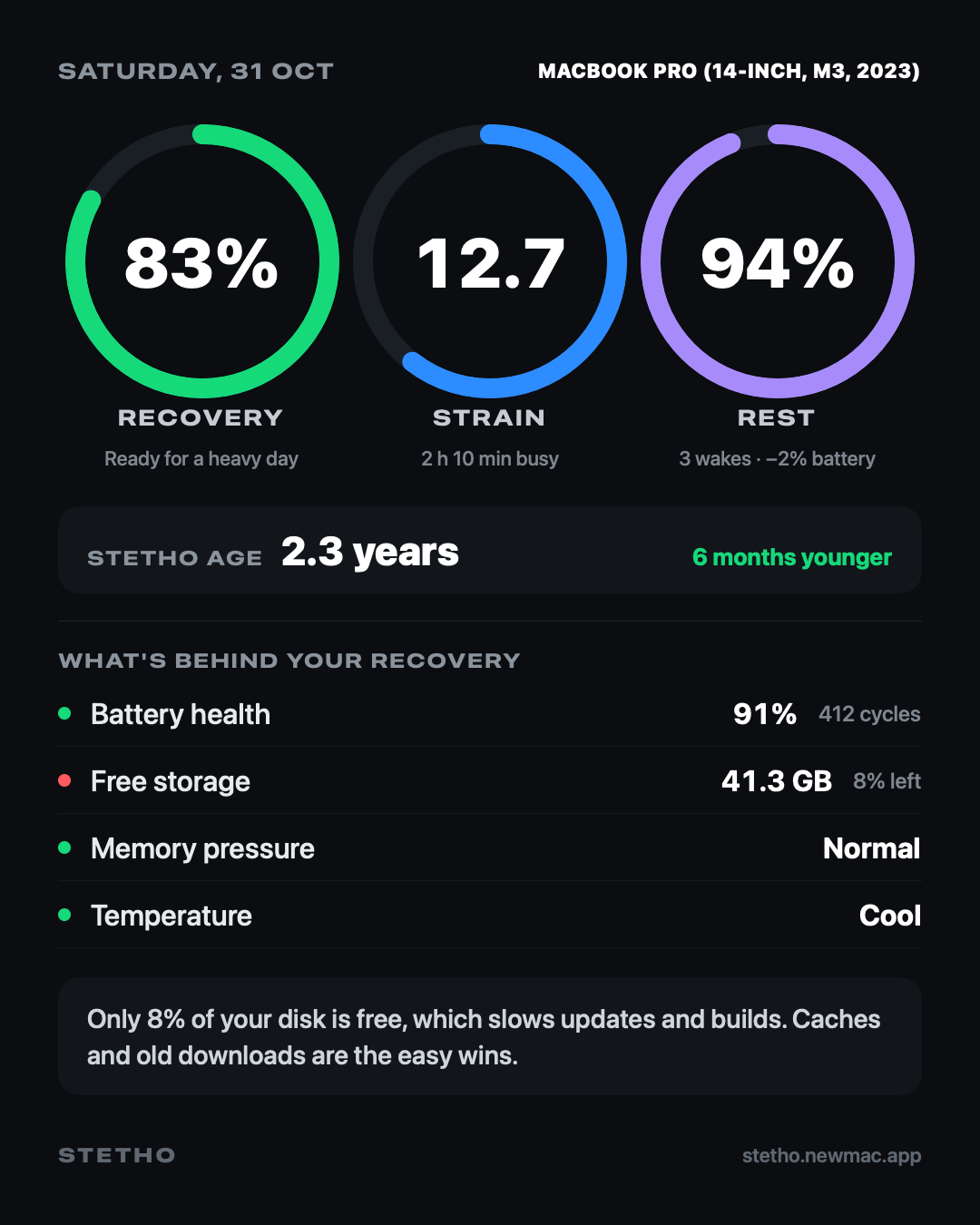
Three rings
How ready your Mac is today: battery health, free storage, memory pressure, temperature, days since a restart and last night’s rest.
How hard it worked today, from 0 to 21. Processor load minute by minute, with extra for running warm.
How well it slept last night: wake-ups, time spent awake and battery lost, from the power log macOS keeps.
Stetho Age
Stetho Age starts from your Mac’s real age, then adds or takes away time for how it’s been treated. A healthy battery, light charging and plenty of free space keep it young. A nearly full disk and weeks without a restart make it older.
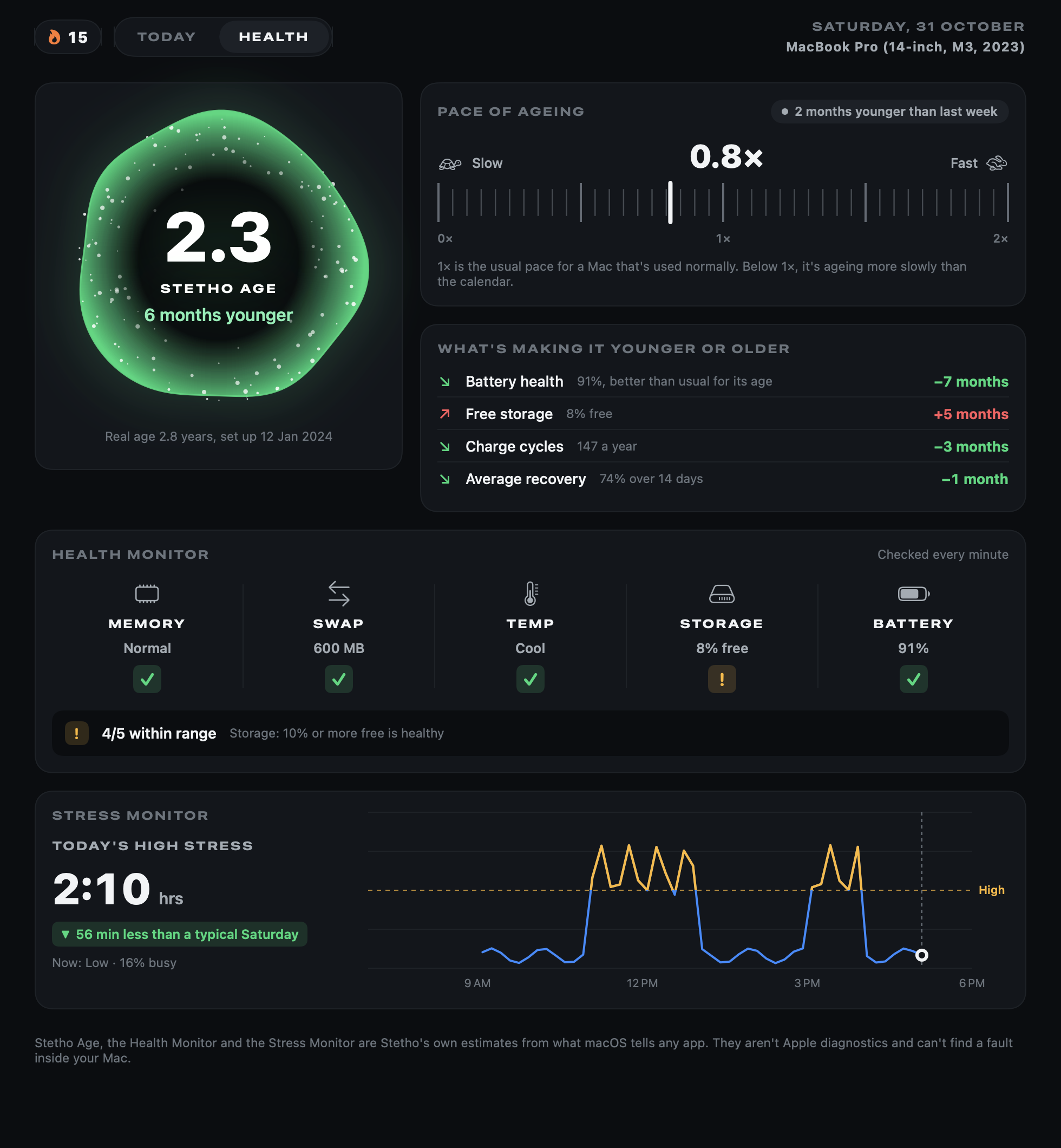
Health tab
The Health Monitor checks five vital signs against a healthy range: memory, swap, temperature, storage and battery. When one drifts out, you’ll see which one and what healthy looks like.
What’s behind it
Each part of Recovery gets a green, amber or red dot, so you can see exactly what’s pulling it down. Low on space? Too many days since a restart? Running hot? It’s all right there.
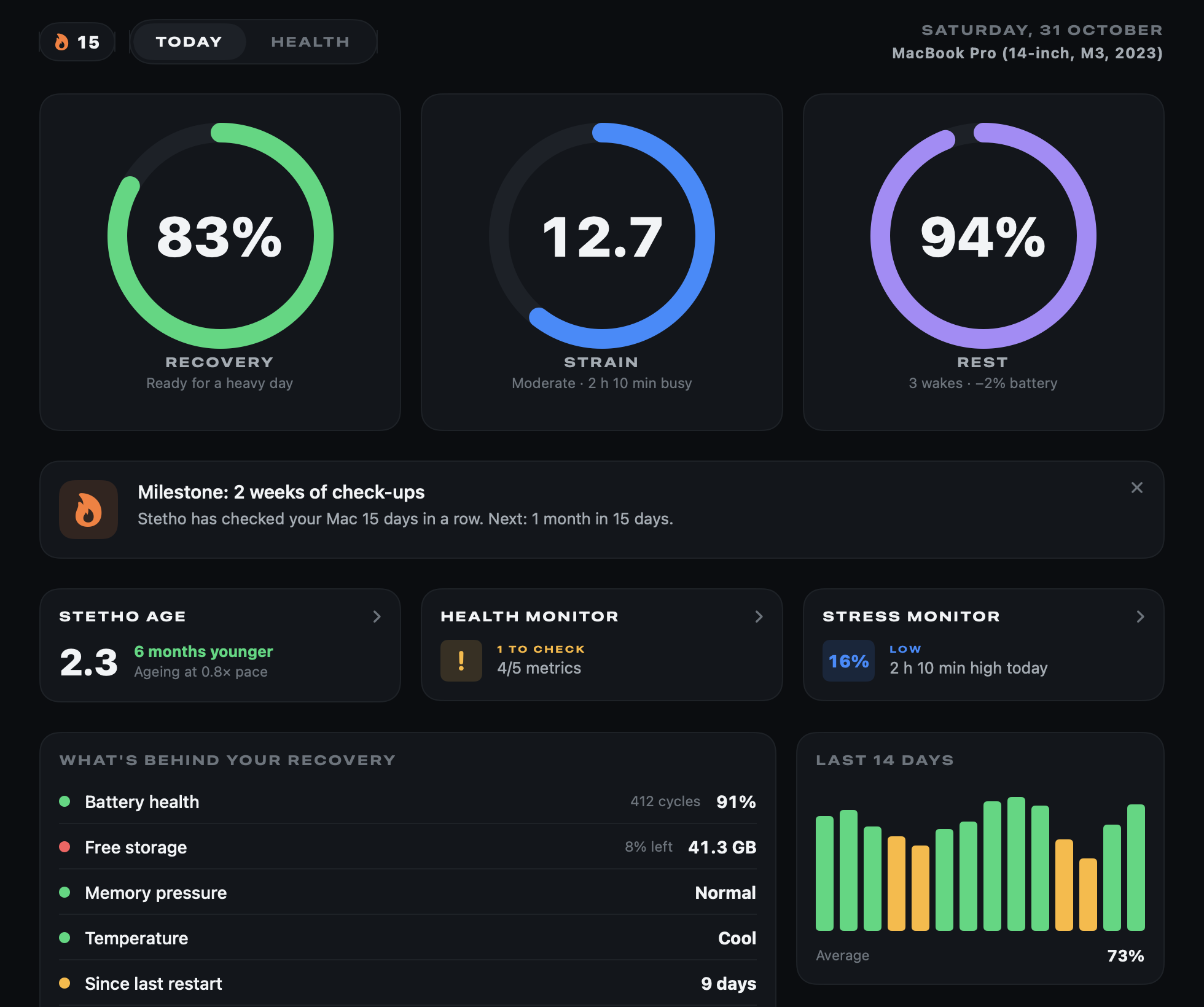
Share card
One click makes a portrait card of today’s rings and Stetho Age, ready for X, Threads or Instagram. Press ⇧⌘S to share it, or save it as an image.
Privacy
Stetho only reads numbers macOS gives every app. No Full Disk Access, no admin password.
Your history stays in a small file on your Mac. No account and no analytics.
It never changes a setting or deletes a file. It tells you what would help, and you decide.
Pricing
Checkout opens soon. The buttons above go live here the moment it does.
Already bought? Download Stetho · .zip · Install help
Questions
They’re Stetho’s own formulas, not something Apple measures. Recovery is a weighted mix of battery health, free storage, memory pressure, temperature, days since a restart and last night’s rest. Strain adds up processor load through the day on a 0–21 scale. Rest comes from the wake-ups and battery loss in the power log macOS keeps. Settings › How It Works explains each one.
Your Mac’s real age, plus or minus time for how it’s been treated: battery health against what’s usual for its age, charge cycles a year, how full the disk is, average Recovery and Strain over the last two weeks, and restarts. It’s Stetho’s own estimate, not an Apple figure, and every factor is shown with how much it moved the number. The real age comes from the date you set in Settings, or else the day macOS was first set up on the Mac (a clean reinstall resets that).
The Health Monitor compares memory pressure, swap, temperature, free storage and battery health with a healthy range, once a minute. The Stress Monitor counts the time the processor was more than half busy today and compares it with a typical day. Neither is an Apple diagnostic, and neither can find a hardware fault.
No. Everything Stetho reads is available to every app: battery details, free space, memory pressure, temperature state, uptime and the power log. It never asks for Full Disk Access or an admin password.
Strain is counted once a minute while Stetho is open or in the menu bar. Turn on “Open Stetho when you log in” in Settings for a full day.
Yes. On an iMac, Mac mini or Mac Studio, battery health is simply left out and Recovery is worked out from the rest.
No. Stetho reads and explains; it never changes settings or deletes files. Its tip tells you what would help, like a restart or freeing space.
No. This page shows exactly what Stetho does, and the scores above are a real card from its demo data.
Stetho is distributed directly from this website. Here’s how to open it the first time.
macOS 14 Sonoma or later, on Apple silicon or Intel. No account.